Publish files from your Mac's menu bar.
Drop a file or folder on the icon and the link is on your clipboard.
macOS 14 Sonoma or later · Apple silicon and Intel · Free

You see what goes online. You decide how it opens.
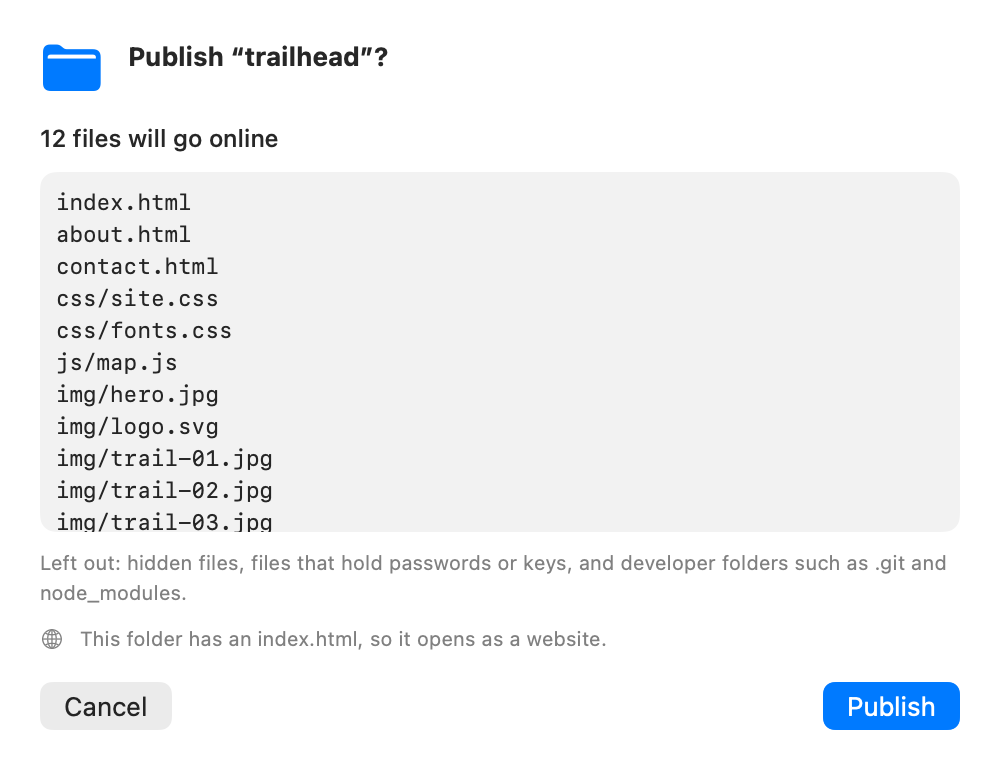
See exactly what goes online
Before a folder is published, the app lists every file in it. Hidden files, files that hold passwords or keys, and developer folders such as .git are left out.
Set up each link
Rename it, add a password, ask for their email first, choose how long it stays online and how it opens. Some settings need a paid plan.
See plans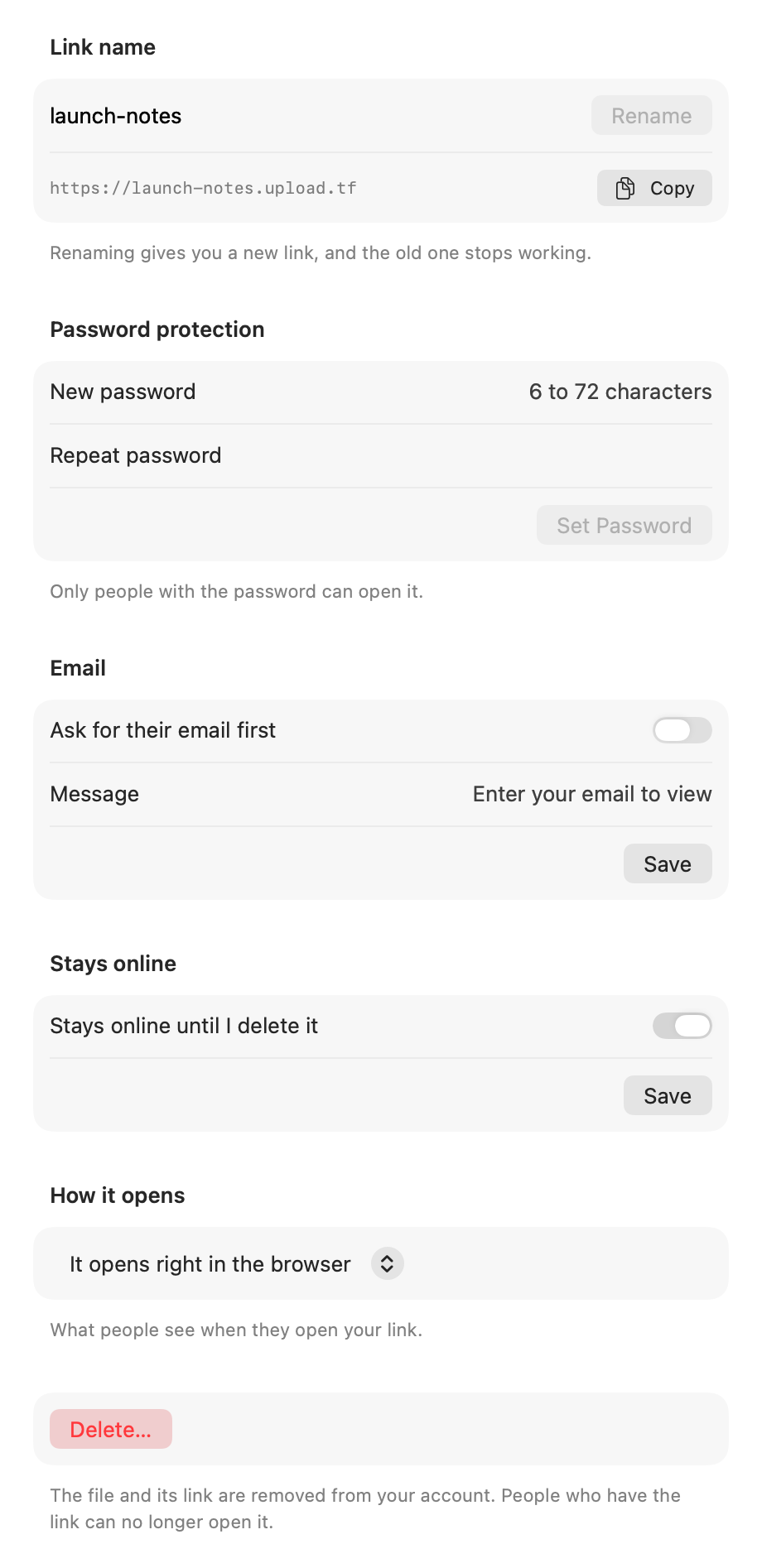
Right where you already work
- Right-click in Finder
- Choose “Publish with Upload the File” on any file or folder. It is under Quick Actions or Services.
- Whole websites too
- Drop a folder with an index.html and it opens as a website.
- Same link, new version
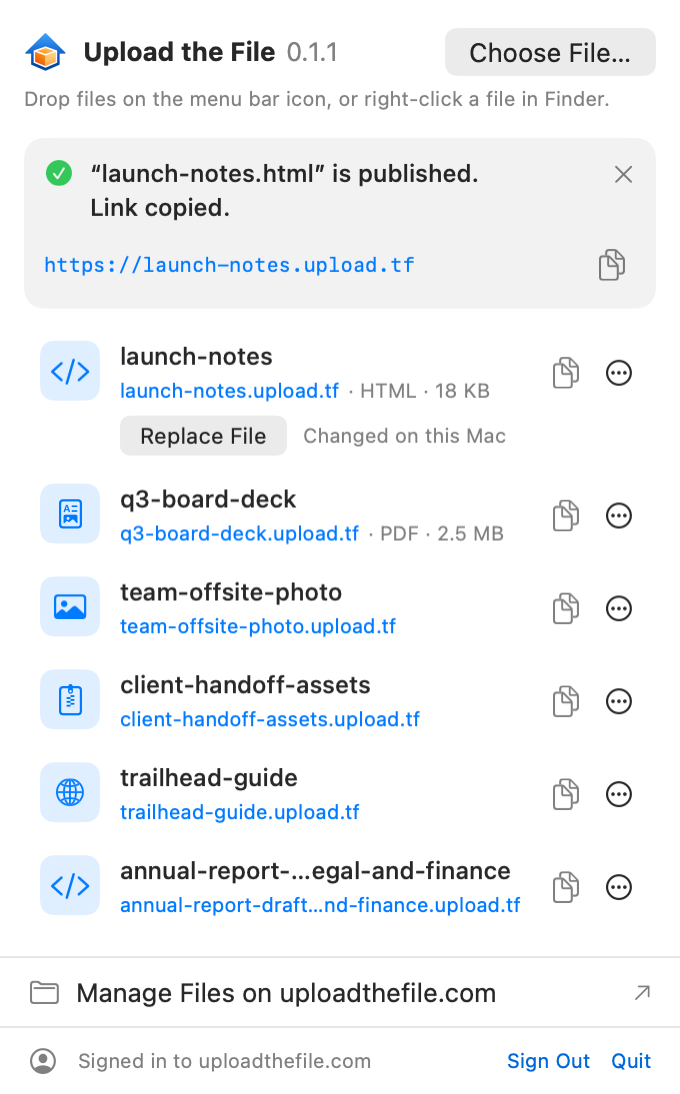
- Changed the file? Click “Replace File” and everyone with the link sees the new version.
- Your links, one click away
- Click a link to open it, click the rest of the row to copy it. “Manage Files on uploadthefile.com” opens your dashboard for QR codes, visits and more.
Install with Homebrew
One line installs the app and puts uptf on your PATH.
brew install --cask smile-mask-technology/tap/upload-the-file
Prefer the terminal?
The app comes with uptf, a command-line tool that does the same things.
uptf loginSign in with your browser
uptf publish report.pdfPublish a file; the link is printed and copied
uptf publish ./sitePublish a folder; an index.html makes it a website
uptf update ./siteReplace it and keep the same link
uptf lsList your links
uptf password report setAdd a password (asked without showing it)
uptf delete reportDelete the file and its link
Run uptf --help to see every command.
Questions
Is it free?
Yes. The app is free and open source, and it works with a free uploadthefile.com account. Some link settings need a paid plan. See plans
Do I need an account?
Yes, a free uploadthefile.com account. You sign in once with your browser, and the app never sees your password.
Which Macs does it run on?
Macs with macOS 14 Sonoma or later, both Apple silicon and Intel. The app is signed by Smile Mask Technology FZE and notarized by Apple.
How big can a file be?
Up to 50 MB from the app. For bigger files, use the website. Use the website
What happens to my files' privacy?
You see what will go online before anything is published. Hidden files, files that hold passwords or keys (such as .env) and developer folders such as .git are left out, and a folder that looks like it holds private data is refused. Files go only to uploadthefile.com, and only the ones you choose. No ads, no tracking. What the app sends
Does it update itself?
Yes. The app checks once a day and offers new versions. “Check for Updates…” is in the menu bar icon's right-click menu.
Is it open source?
Yes, under the MIT license. You can read the code on GitHub. View the source on GitHub